
- 30-Day Free Trial
Office-X: The All-in-One Platform for
Smarter Workplaces
Office-X is your all-in-one workplace management platform, designed to help you manage everything efficiently, securely, and with complete flexibility — from employee onboarding to employee management, payroll to asset tracking and day-to-day business operations.
Transform the Way Your Office Works
Experience effortless team management, automated workflows, and smarter office operations — all in one place with Office-X.
Why Choose Office-X?
Simplify work, streamline operations, and empower your team with an all-in-one platform designed for businesses of any size. Focus on success while Office-X handles the rest.
All-in-One Workplace Solution
Simplify work and streamline operations with a single platform that manages employees, attendance, leave, approvals, assets, incidents, and reporting — everything your business needs in one place.

Customizable & User-Friendly
Tailor workflows, departments, forms, and permissions to fit your company’s needs. Share documents, make announcements, and resolve internal issues quickly with an intuitive interface built for smooth collaboration.

Time-Saving Automation
Automate repetitive tasks like attendance tracking, dynamic approvals, travel requests, and payroll (Bangladesh only). Gain real-time insights through dashboards and reports, enabling faster, smarter decisions.

Scalable & Secure Cloud Platform
Grow confidently from 10 to 10,000 employees on a secure cloud platform with 99.9% uptime. Advanced encryption, IP whitelisting, GDPR/SOC2 compliance, and two-factor authentication keep your data safe.

Risk-Free 30-Day Trial
Experience Office-X hands-on. Set up your workspace, add employees, and explore all core features with a 30-day free trial — no risk, credit card required.
Key Features: Run Your Business Smarter
Everything to manage your team efficiently
Employee Setup & Permissions
Quickly add and manage employees. Assign roles, departments, and feature-specific permissions with Smart Permission Control for complete access management.

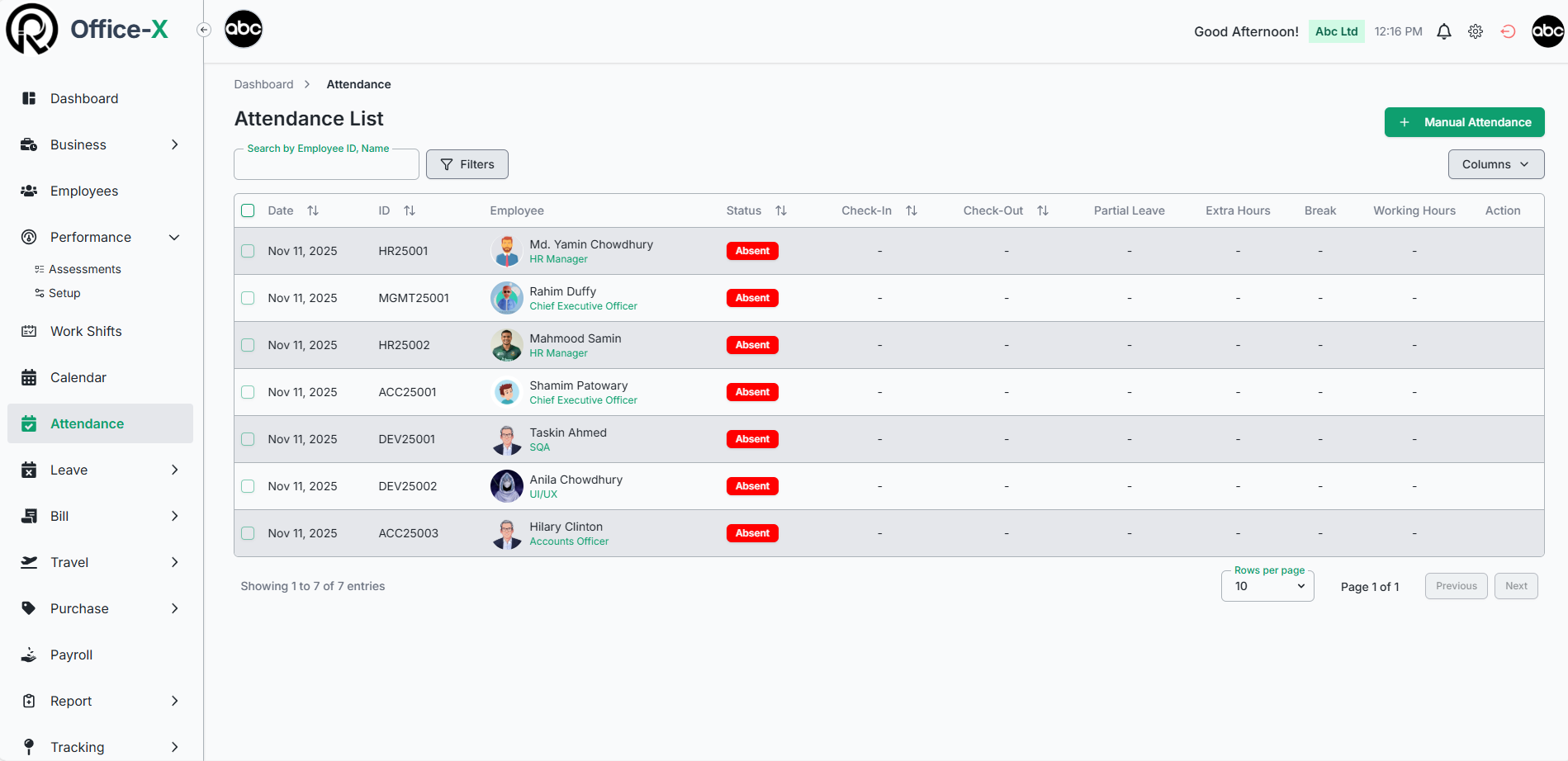
Attendance & Leave Tracking
Track check-ins, check-outs, and leave requests in real time. Leave balances and approvals are calculated automatically.

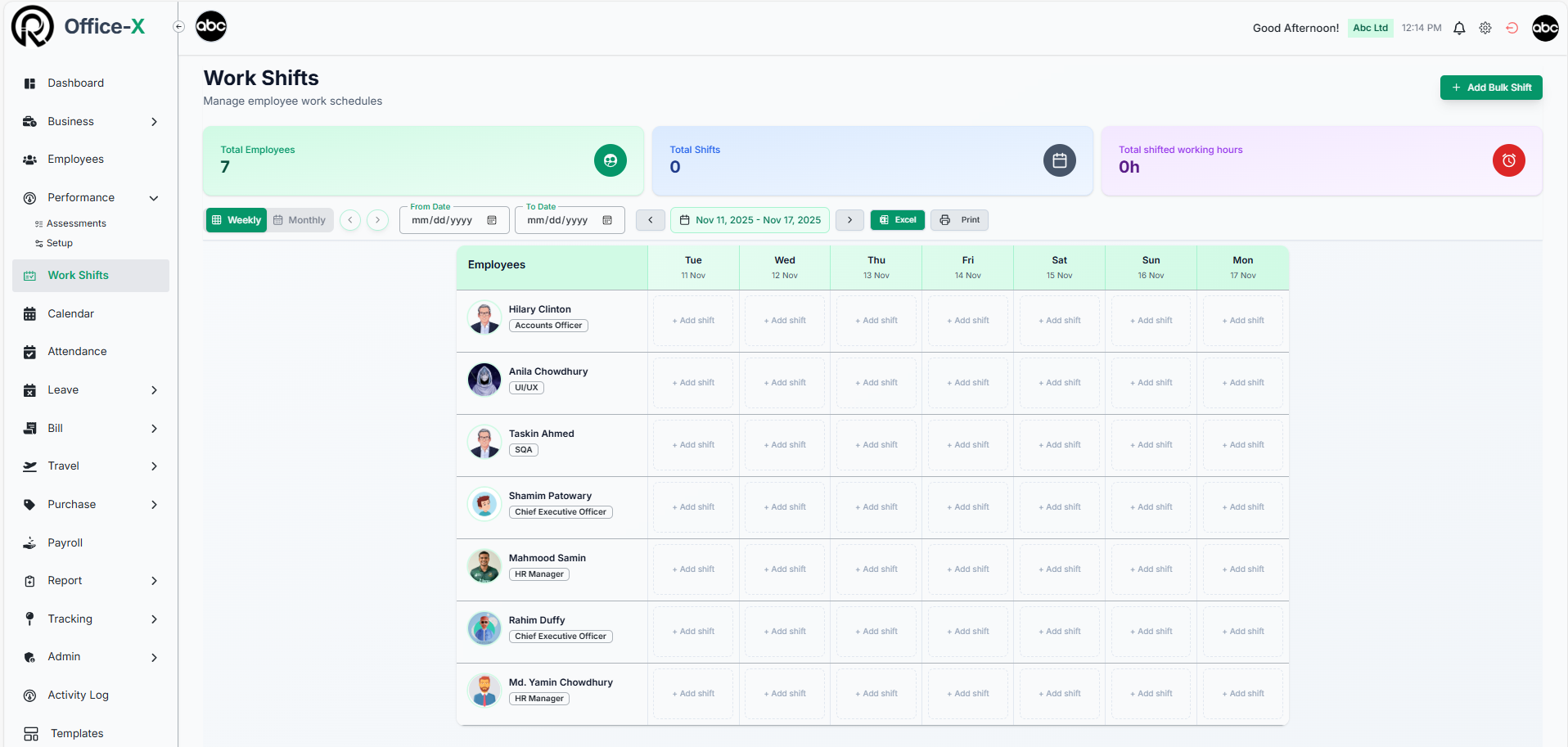
Shift Planning
Schedule shifts for teams with weekly/monthly views, real-time updates, and printable/exportable rosters.

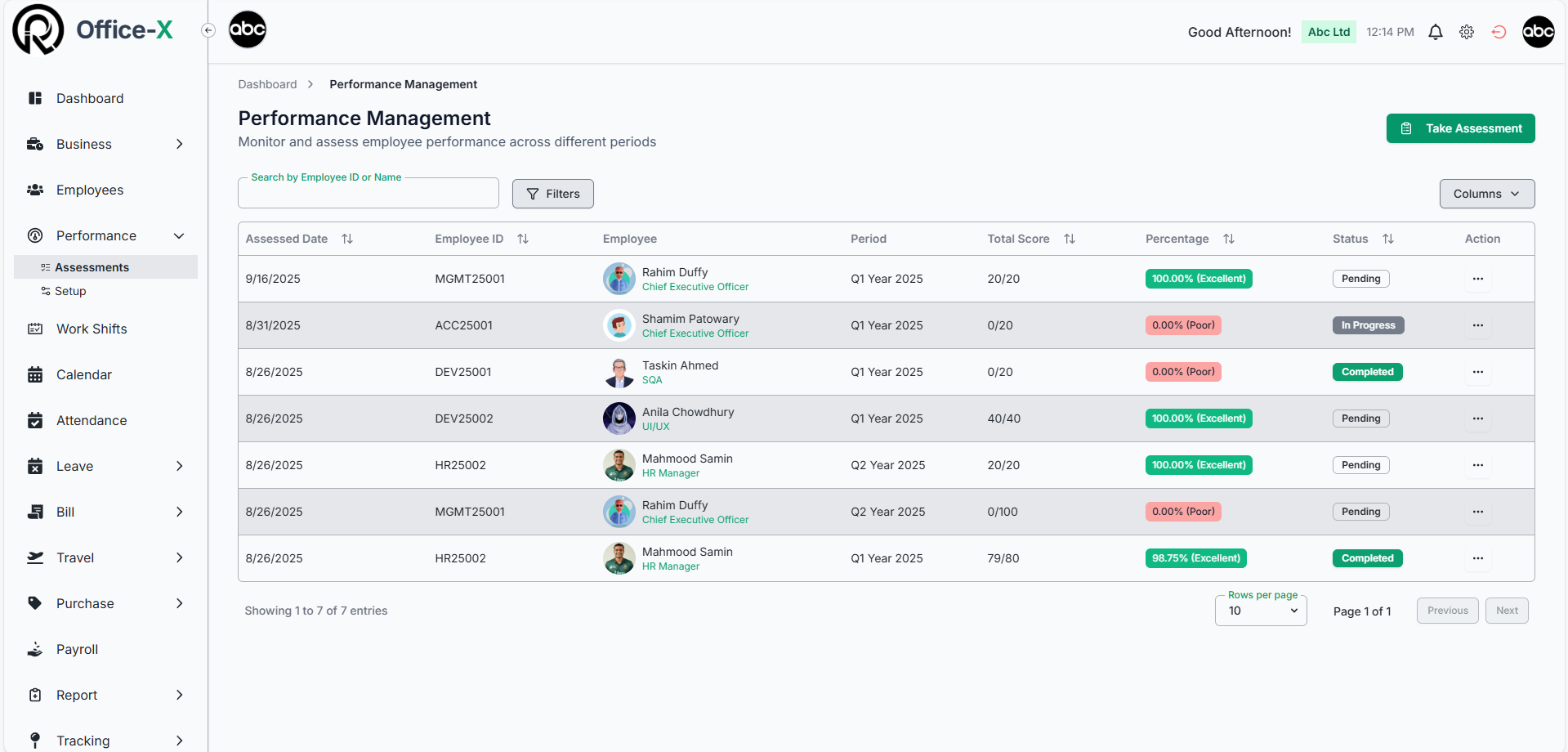
Performance Reviews & KPIs
Conduct structured assessments, track KPIs, and provide actionable feedback.
Team Hierarchy
Organize employees into teams and assign feature-specific permissions for smooth collaboration and accountability.
Approval Flows
Create flexible, multi-step approval flows for leave, expense, travel, and purchase requests. Automate repetitive approval processes to reduce delays and ensure requests follow your organization’s hierarchy.

Keep your workplace structured and organized
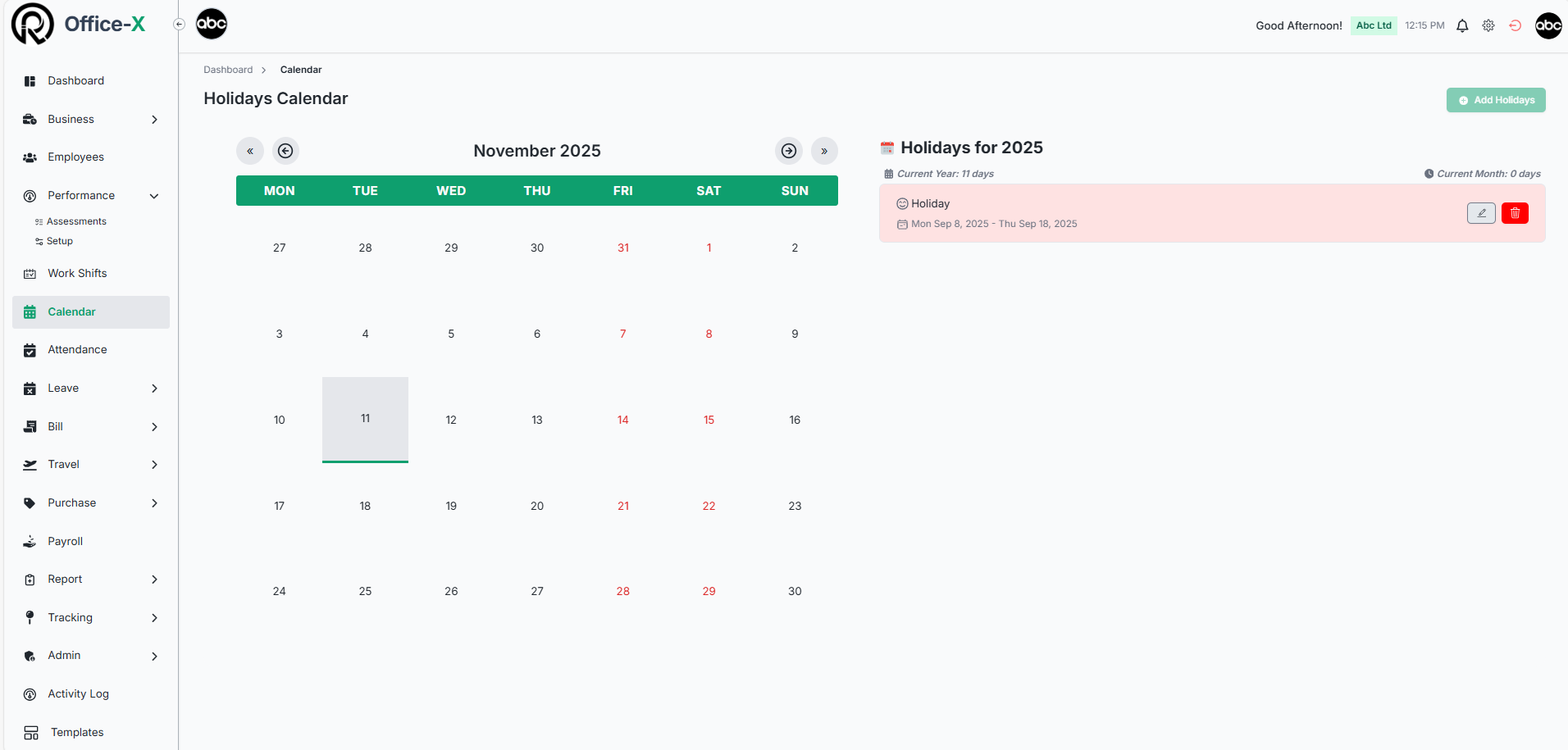
Holiday & Event Calendar
Centralize all company holidays, special events, and important dates in one place. Easily plan schedules, avoid conflicts, and keep everyone informed with clear visibility.

Incident Reporting
Log, track, and resolve workplace incidents efficiently. Capture details, assign managers, and maintain a compliant incident history to ensure safety and accountability.
Document Management
Securely store and manage frequently used office documents. Employees can access, print, or share files quickly while keeping your organization organized.

Asset Tracking
Monitor and manage all company assets, from laptops to vehicles, with full lifecycle tracking. Assign, reassign, and report on assets to stay organized and audit-ready.

Internal Support System
Streamline internal issue resolution with a smart support system. Assign tickets to the right employees automatically, track progress, and ensure quick resolution for a smooth workflow.
Company Announcements
Share important updates, news, birthdays, and company-wide notifications instantly. Keep your team informed and engaged with a dedicated, easy-to-use feed.

Adapt Office-X to perfectly fit your business processes while saving time and improving efficiency
Email Templates
Build and share your own forms for internal processes, and create professional email templates for automated notifications. Streamline communication while maintaining consistent branding.
Incident Configuration
Define custom incident categories, statuses, and severity levels to fit your compliance and reporting needs. Ensure all workplace events are logged consistently and tracked effectively.

Departments, Designations & Teams
Structure your organization efficiently by defining departments, designations, and teams. Assign roles, responsibilities, and team-specific permissions for clear accountability and smooth collaboration.

Dynamic Workflows
Create flexible, multi-step approval flows for leave, expense, travel, and purchase requests. Automate repetitive approval processes to reduce delays and ensure requests follow your organization’s hierarchy.
Configurable Settings
Tailor the platform to match your policies. Customize leave types, expense categories, employee benefits, and currencies so every process aligns with your company rules.

IP Configuration
Strengthen security by restricting system access to approved networks. Control who can log in and ensure sensitive operations are protected against unauthorized access.
Protect your data while giving employees easy access to what they need
Smart Permission Control
Assign feature-specific access with flexible and secure controls.

Trusted Network Access
Ensure compliance with GDPR and SOC 2 for secure and private operations.
Global Privacy Standards
Ensure compliance with GDPR and SOC 2 for secure and private operations.

Two-Factor Authentication (2FA)
Add an extra layer of security for every login by default.
Employee Self-Service
Employees can check attendance, leave, payroll, submit requests, access support, view holidays, and track performance—all from a single dashboard.
Activity Logs
Monitor user activity and system changes in real-time to maintain transparency and security across your organization.
Simplify financial operations, payroll, and approvals while keeping everything accurate and compliant
Billing Management
Submit, review, and approve bills or purchase requests with full transparency. Attach documents, track approvals in real time, and ensure accurate reporting for smooth financial operations.

Travel & Purchase Requests
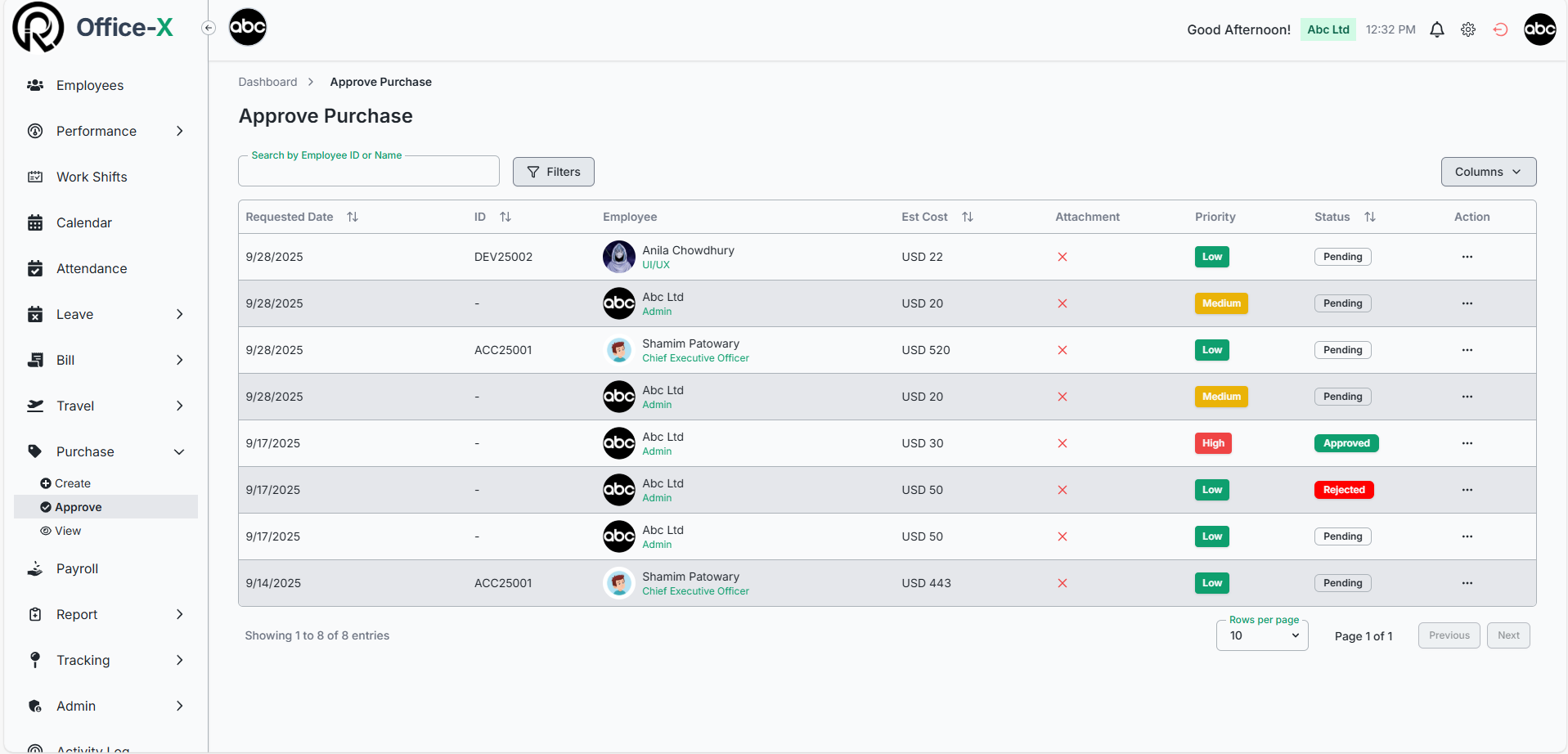
Automate travel and purchase approvals with custom workflows. Add attachments, provide comments, and assign multi-level approvals so all requests are processed efficiently and without delays.
Leave & Overtime Integration
All payroll calculations are integrated with employee attendance, leave, and overtime records. Automatic adjustments ensure that pay reflects actual working hours, approved leave, and extra hours worked.
Payroll Management (Bangladesh Only)
Handle payroll effortlessly with automated salary calculations, overtime, leave adjustments, bonuses, and deductions. Ensure accurate tax computation using Bangladesh NBR-compliant slabs, and generate detailed paystubs instantly for employees. Full compliance, minimal errors, and complete transparency guaranteed.
Best-in-Class Tax Automation
Taxes are calculated automatically based on official Bangladesh tax slabs and personal exemptions. The system dynamically updates deductions when bonuses, overtime, or adjustments are applied, ensuring accurate monthly payroll without manual intervention.
How Office-X Works
Get your workplace up and running with Office-X in just a few simple steps:
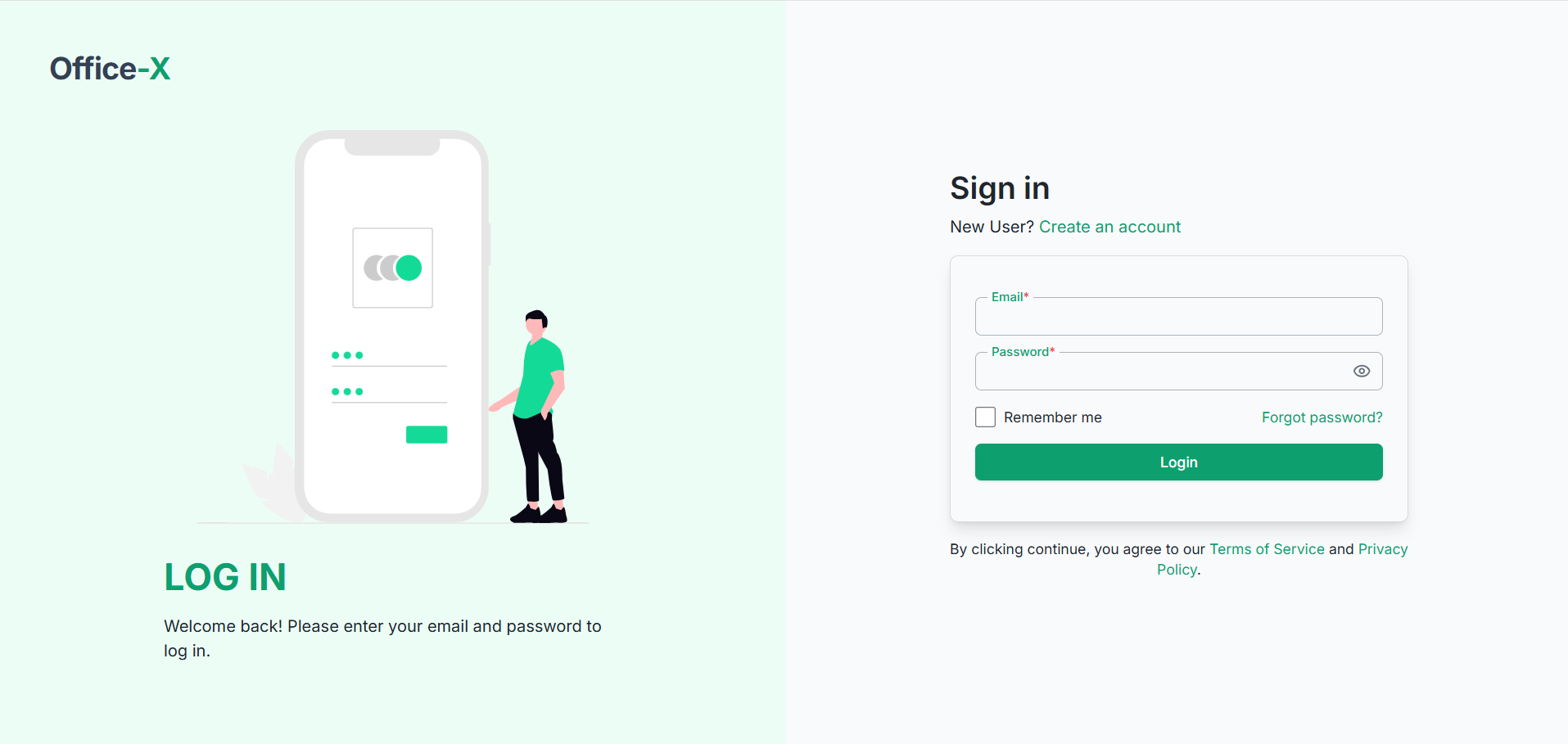
Register Your Business
Register your company with your business name, representative’s name, and email. Verify your account with default 2FA.
Step 1
Step 2
Choose Your Plan
Select your country, and choose a plan that fits your needs — Bangladeshi subscribers can enjoy payroll automation with tax compliance included.
Set Up Your Workspace
Set up your company workspace with pay types, departments, workflows, and employee access controls. Office-X automatically sets up default data for you.
Step 3
Step 4
Quick Setup Complete
Payment confirmed? Your Office-X workspace is automatically created with all necessary configurations. Start managing your business immediately with one active user seat – everything else is handled for you in the background.
Add Employees
Easily expand your team by adding employees and managing seat licenses directly from your dashboard. Assign, track, and adjust subscriptions by seat to keep your workspace organized and cost-efficient.
Step 5
Step 6
Run Efficiently
Start managing assets, tracking attendance, organizing shifts, and automating tasks, approvals, and reporting in real time.
Integrations: Streamline Your Communication
Keep your team connected, informed, and productive with Office-X’s smart integration capabilities.
Internal Support System
Streamline workplace requests with a smart ticketing system. Assign issues automatically to the right employees, categorize requests, and resolve them efficiently to keep your operations running smoothly.
Automated Notifications
Never miss a task or update. Send real-time notifications within the app and via email for approvals, leave requests, payroll updates, incidents, or company announcements. Customize email templates to match your company’s tone and branding, ensuring clear and professional communication every time.
- Trusted. Tested. Loved.
Trusted by Growing Businesses

Olivia Hayes
Owner, GreenLeaf Bakery
“Office-X has simplified every part of our operations. From tracking employee shifts to managing leave requests, everything is centralized. It saves me time so I can focus on growing my bakery.”

Ethan Reynolds
Founder, BlueSky Web Design
“Managing my small team has become effortless with Office-X. Attendance, project tracking, and internal support are all in one platform. It’s professional, intuitive, and reliable.”

Lucas Foster
Owner, PixelPoint Marketing

“Office-X keeps our small business organized. From HR tasks to payroll (Bangladesh-compliant for some of our overseas employees), it handles everything. It’s scalable and easy to use.”

Sophia Bennett
Co-Founder, Willow & Co. Handmade Goods
“Office-X transformed our workflow. Leave approvals, asset management, and reporting are automated, reducing mistakes and improving communication. Our team is happier and more productive.”
App Preview


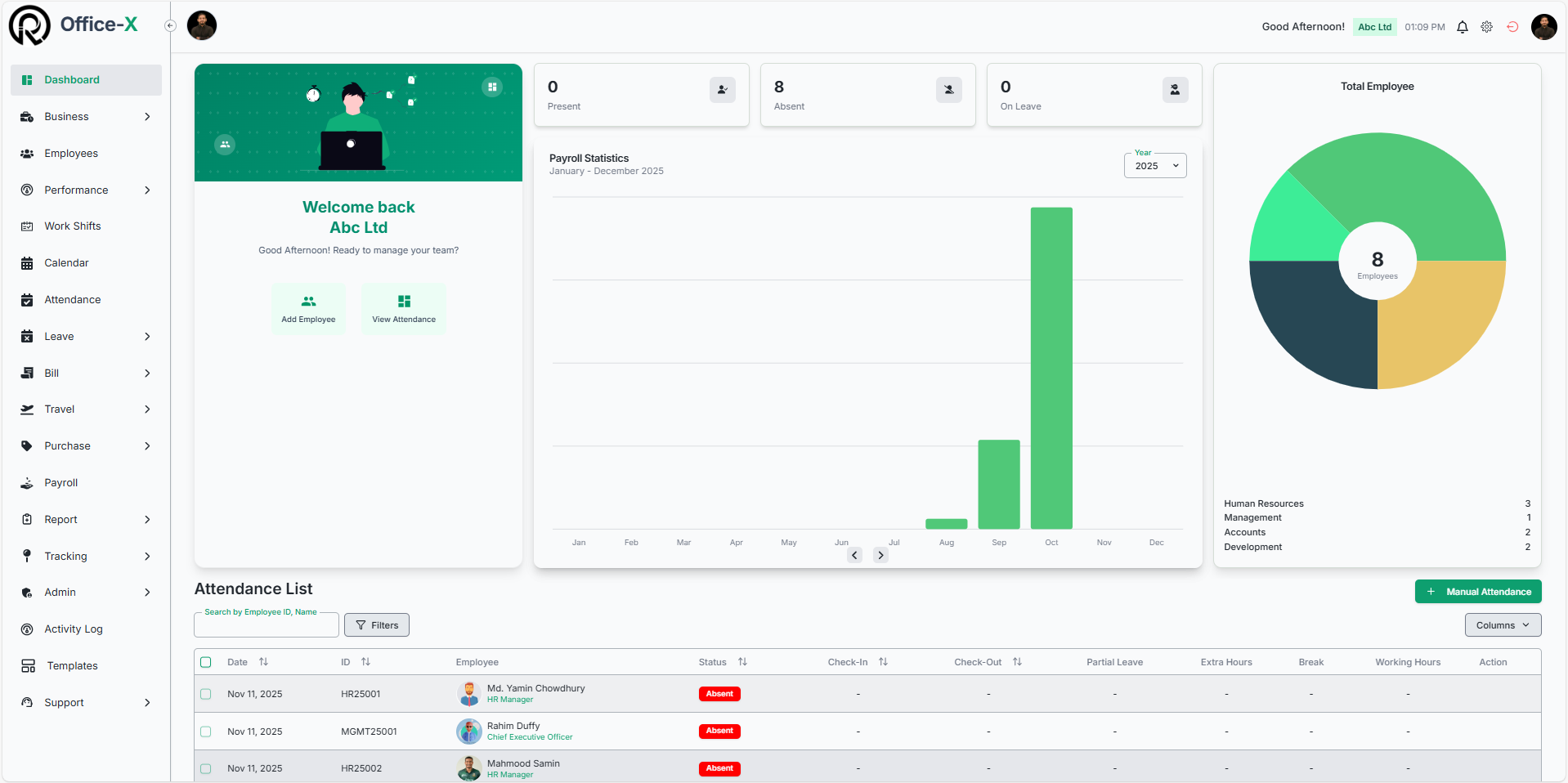
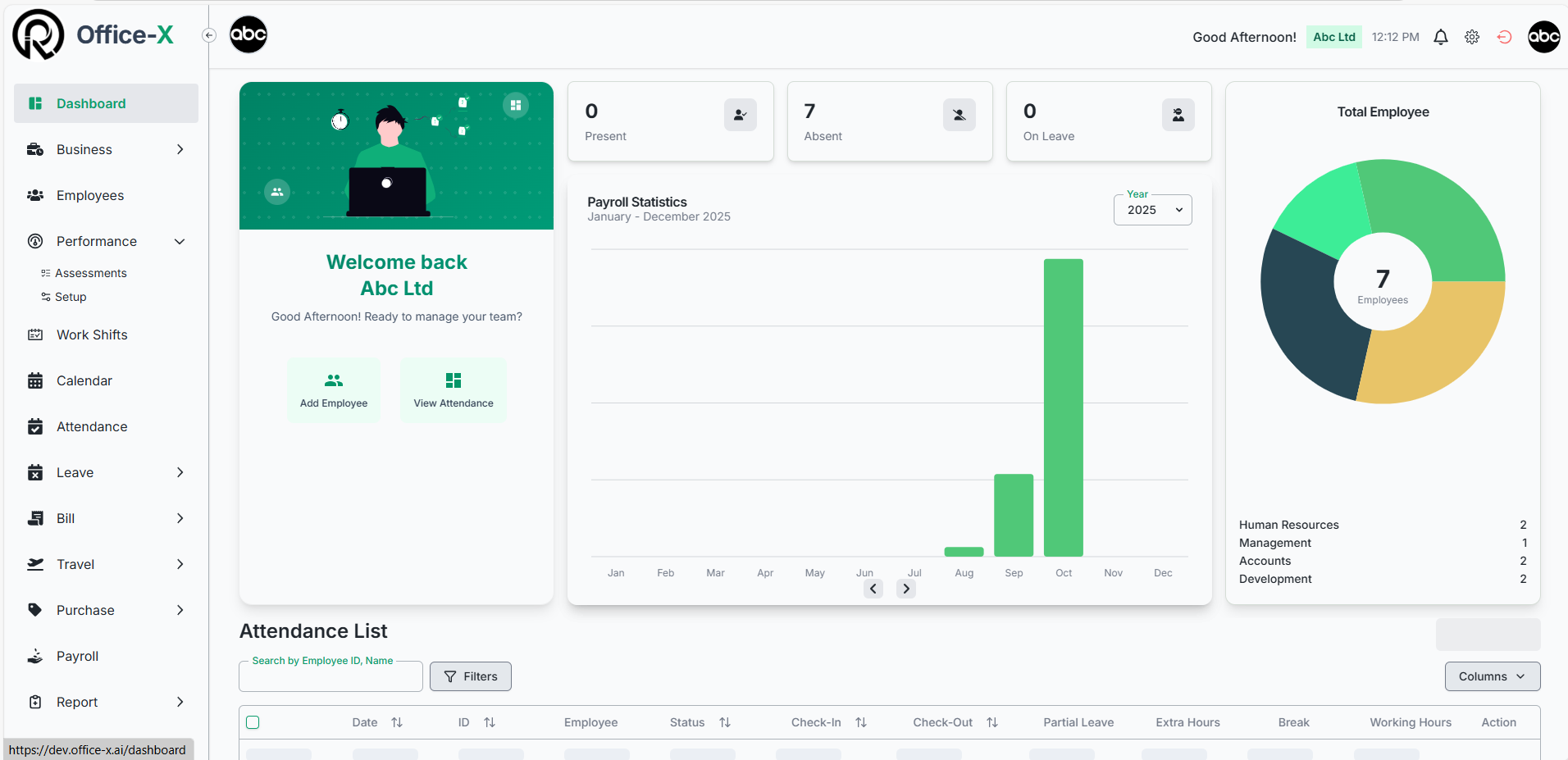
Dashboard
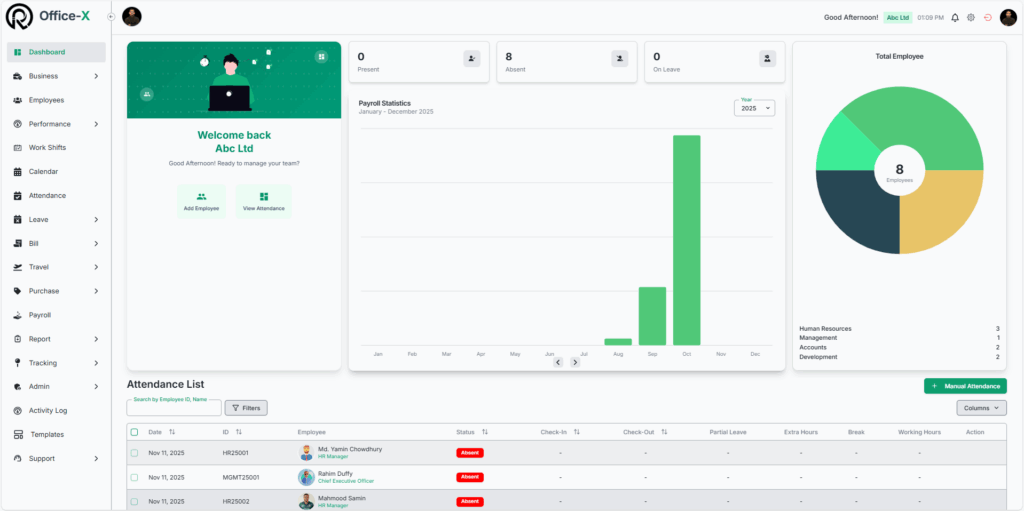
Get real-time insights on attendance, payroll (Bangladesh only), announcement’s, birthdays and employee performance at a glance.
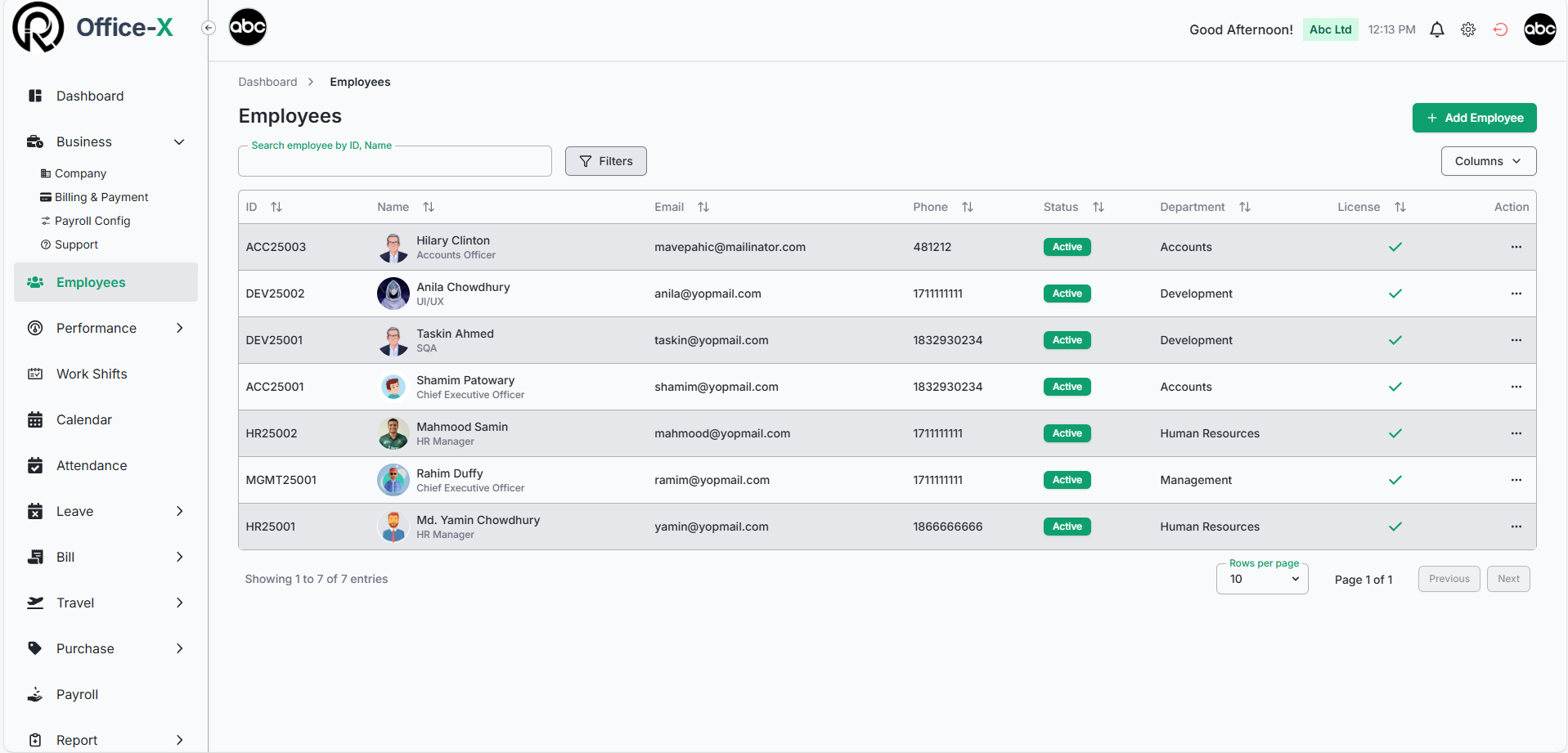
Employee Management
Easily add, edit, assign seat and manage employee attributes with Action-Based Access Control (ABAC).
Shift Planner
Schedule and manage work hours for teams with flexible, intuitive tools, including weekly or monthly views.
Payroll Analytics (Bangladesh Only)
Automate payroll processes and analyze data for accurate insights.
Pay Type Management
Configure custom pay types for all subscribers, with flexible permission controls for shift/hour-based or employee-based pay structures for complete payroll management.
Attendance & Approvals
Track attendance logs and handle approvals instantly for seamless workflows.
Leave Management
Easily submit, track, and approve leave requests — with smart notifications, policy enforcement, and automatic tracking of entitled, used, and remaining leaves.
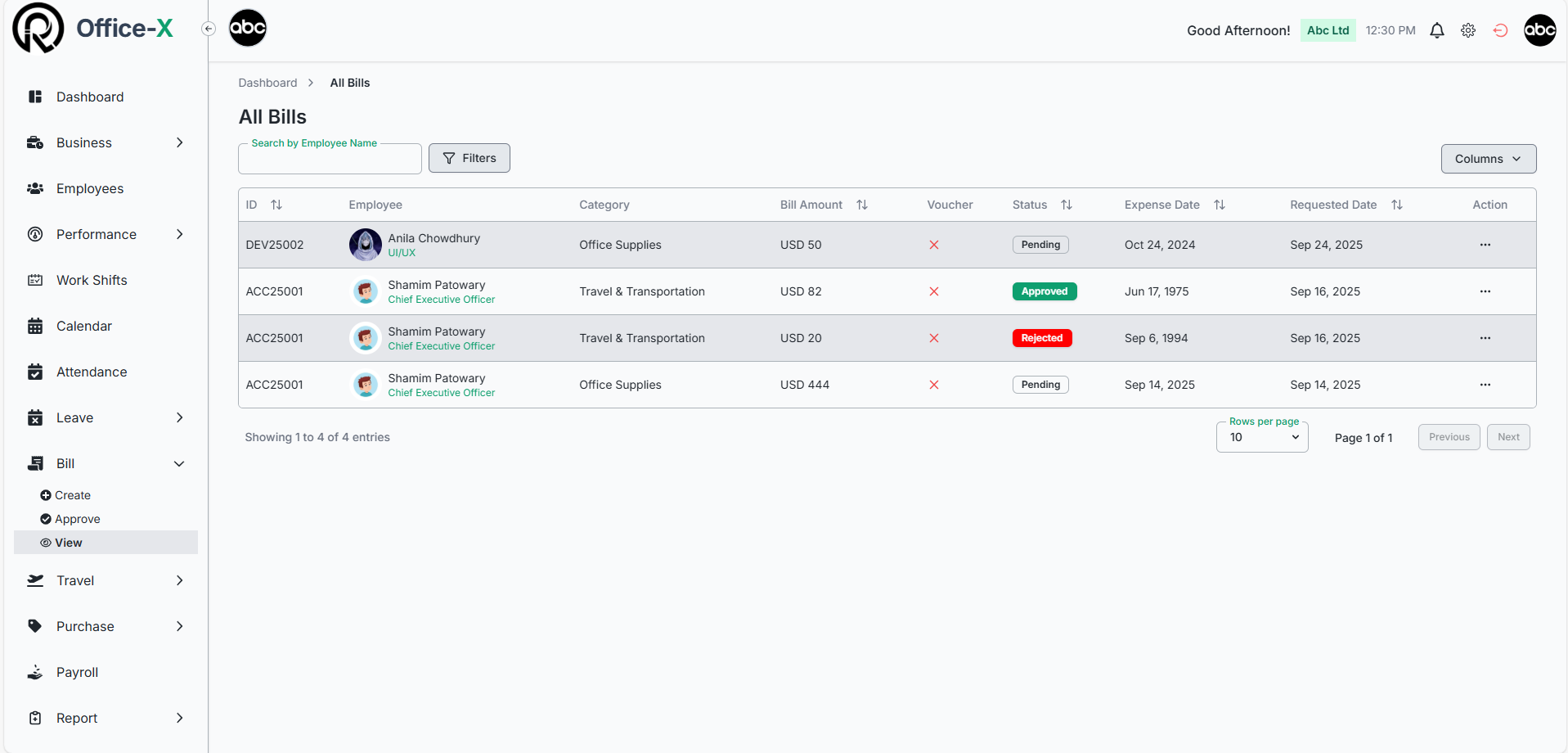
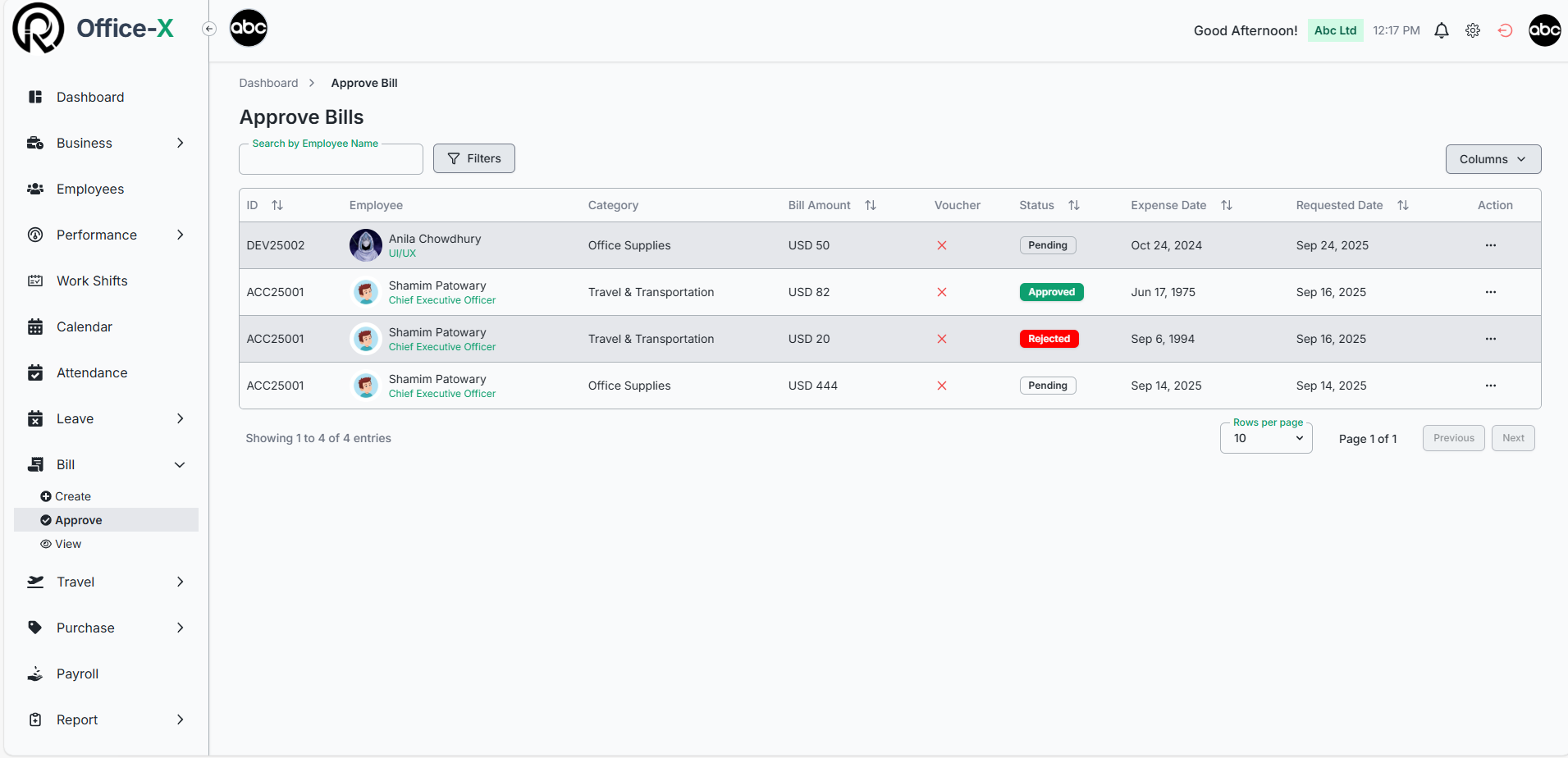
Expense & Billing
Manage expenses, submit bills, and streamline approvals without delays.
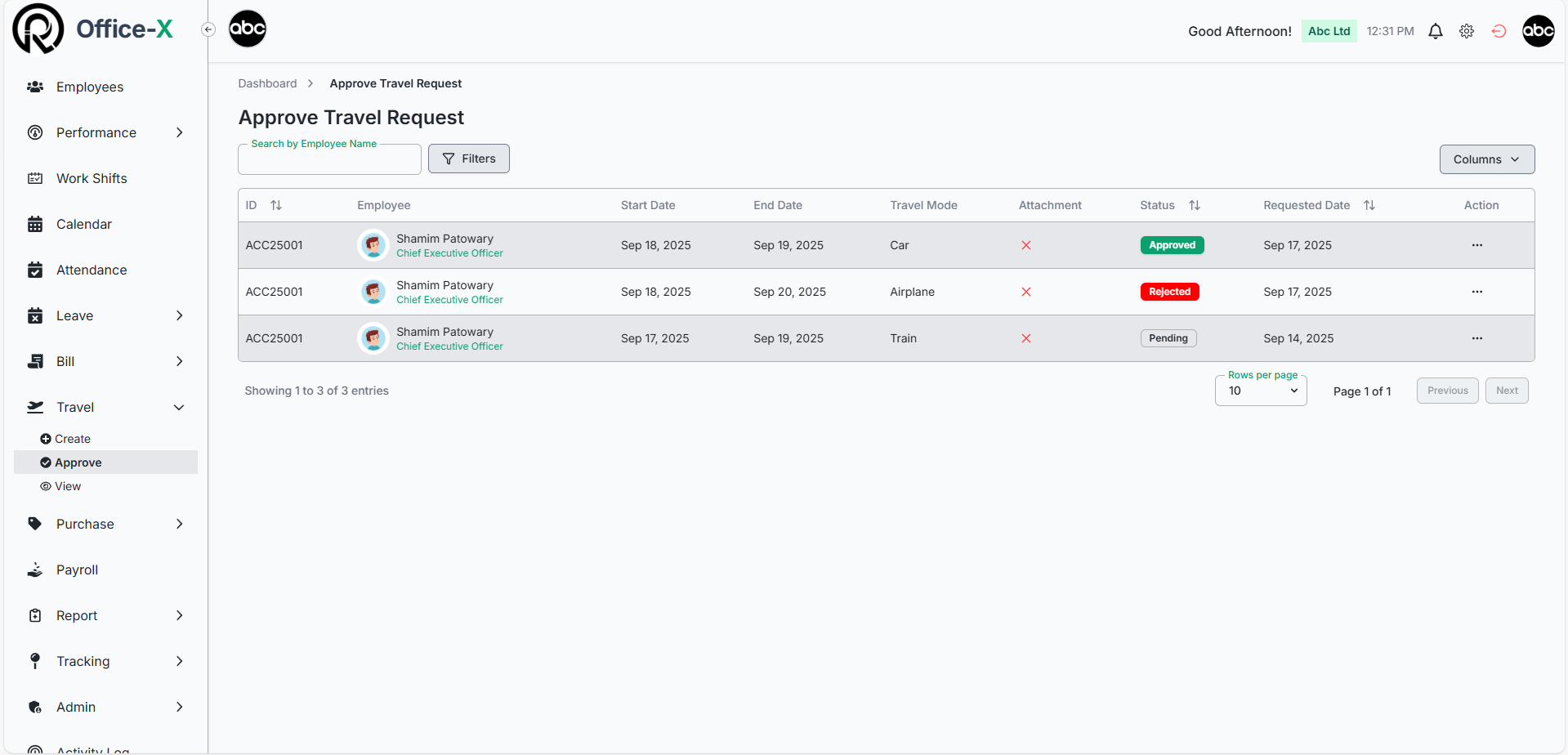
Travel & Purchase Requests
Create and automate travel or purchase requests with custom approval flows.
Asset Tracking
Monitor company assets, track their lifecycle, and generate reports effortlessly.
Document Management
Store, organize, and access PDFs, Excel, and DOC files securely.
Holiday Calendar
Centralize company holidays and events for easy planning and visibility.
Performance Reviews
Set KPIs, conduct reviews, and track progress to boost team performance.
Internal Support System
Raise and resolve support tickets quickly for employee assistance.
Company Announcements
Store, organize, and access PDFs, Excel, and DOC files securely.
Simple, Transparent Pricing
Choose the plan that fits your business. Switch between monthly and yearly billing to save more.
Basic Plan
$1
/month/user
Save $2/year (~$0.83/mo)
Perfect for startups and small businesses.
- Employee Management
- Attendance Tracking
- Holiday Calendar
- Performance Reviews
- Work Shift Scheduling
- Leave Management
- Bill & Expense Management
- Travel Management
- Purchase Requests
- Admin Management
- Dynamic Approval flows
- Smart Permission Controls
- Email Templates
Advance Plan (Growing Business)
$2
/month/user
Save $4/year (~$1.67/mo)
Ideal for growing organizations needing advanced HR tools.
- Includes all features of the Basic Plan.
- Ideal for growing teams needing more control.
- All Basic Plan Features
- Payroll Management (Only for Bangladesh)
- Asset Tracking
- Incident Reporting
- Support Ticketing
Recomended
Basic Plan
$10
/month/user
Save $2/year (~$0.83/mo)
Perfect for startups and small businesses.
- Employee Management
- Attendance Tracking
- Holiday Calendar
- Performance Reviews
- Work Shift Scheduling
- Leave Management
- Bill & Expense Management
- Travel Management
- Purchase Requests
- Admin Management
- Dynamic Approval flows
- Smart Permission Controls
- Email Templates
Advance Plan (Growing Business)
$20
/month/user
Save $4/year (~$1.67/mo)
Ideal for growing organizations needing advanced HR tools.
- Includes all features of the Basic Plan.
- Ideal for growing teams needing more control.
- All Basic Plan Features
- Payroll Management (Only for Bangladesh)
- Asset Tracking
- Incident Reporting
- Support Ticketing
Recomended
Frequently Asked Questions
What is Office-X, and who is it for?
Office-X is an all-in-one workplace management platform designed for small businesses, startups, agencies, retail teams, and growing companies.
It helps you manage employees, attendance, leaves, assets, tasks, payroll (BD only), announcements, files, support tickets, and overall operations in one modern dashboard.
It’s built to reduce manual work and keep your business organized — without needing separate apps.
How does the free trial work?
You get a 30-day free trial with access to all core features.
During the trial, you can:
Add unlimited teams/departments
Add employees (only active seats count after trial)
Test attendance, policies, leave workflows
Explore dashboard, reports, announcements, tickets
Try asset management and document storage
Test permissions and approval flows
How does subscription and billing work?
Office-X uses a seat-based subscription model.
Here’s how it works:
You pay based on how many active employees (seats) you have.
If you deactivate an employee, that seat becomes immediately available for another employee.
Billing adjusts automatically if you increase/decrease seat count.
Billing cycles available:
Monthly subscription
Yearly subscription (20% discount automatically applied)
You can upgrade, downgrade, or add seats anytime.
How do seat counts work?
A seat represents any active employee in your workspace.
When you add and assign an employee → a seat becomes used.
When an employee leaves → you must manually unassign their seat. Once unassigned, the seat becomes available for another employee.
When you assign a new employee to that free seat → it becomes used again.
You only pay for the total number of seats in your subscription — not per employee.
So you can freely reassign seats anytime without increasing your cost as long as your seat count remains the same.
What happens when an employee leaves?
You can deactivate their account, which frees up their seat license for a new employee. All their historical data remains for compliance and reporting purposes.
How accurate is the payroll calculation?
Our payroll system is built specifically for Bangladesh tax regulations, automatically calculating taxes, deductions, and contributions according to local laws for complete compliance.
Can I handle both salary and hourly employees?
Absolutely! Office-X supports both salaried and hourly employees, and you can even manage a mix of both types within the same workspace.
Salary Employees: Pay is calculated based on their monthly or yearly salary. The system automatically determines hourly rates if needed for overtime or partial-month calculations.
Hourly Employees: The platform pulls total worked hours from attendance. You can also manually adjust hours if required. Base pay, overtime, and bonuses are calculated automatically.
Can I use my own email system?
Yes! Office-X allows you to use your own email system for all notifications and communications.
SMTP Integration: Simply configure your SMTP settings under Settings → SMTP, and the platform will send automated emails through your preferred email account.
Custom Sender Info: You can set the sender name, email address, and reply-to address to match your company branding.
Email Templates: Customize your automated messages—like leave approvals, support tickets, payroll notifications, or welcome emails—so they look professional and consistent.
Testing: Send test emails to ensure everything is working perfectly before going live.
✅ Result: Maintain professional, branded, and reliable communication without relying on default system emails.
Can I manage permissions?
Yes, business owners can grant specific permissions to control which features and data each employee can access. If you give an employee full control, they can manage all features within your subscription plan.
Can I change my plan?
Yes, upgrade or downgrade anytime from your account settings. Billing adjusts automatically.
What happens if I cancel my subscription?
When you cancel your Office-X subscription, you'll retain full access to all features and data until your current billing period ends. After the subscription expires, your account will be deactivated and employees will lose login access. Your company data including employee records, attendance history, payroll information (Bangladesh), performance reviews, and reports will be securely stored for 60 days. If you want to reactivate your account within this 60-day period, contact our support team to restore access. After 60 days, all data will be permanently erased and cannot be recovered.
Office-X uses a simple per-seat pricing model where you pay only for active employees using the platform. Start with one representative seat included in your initial setup, then add team members as needed through Billing & Payment → Manage Seats. You can add seats anytime with instant activation, unassign seats to free them for other employees, or cancel seats to reduce costs in the next billing cycle. Your billing automatically adjusts based on active seat count - no hidden fees, just transparent pricing based on your actual usage.
Get in Touch
Have questions or need a custom solution? We’re here to help tailor Office-X to your business.